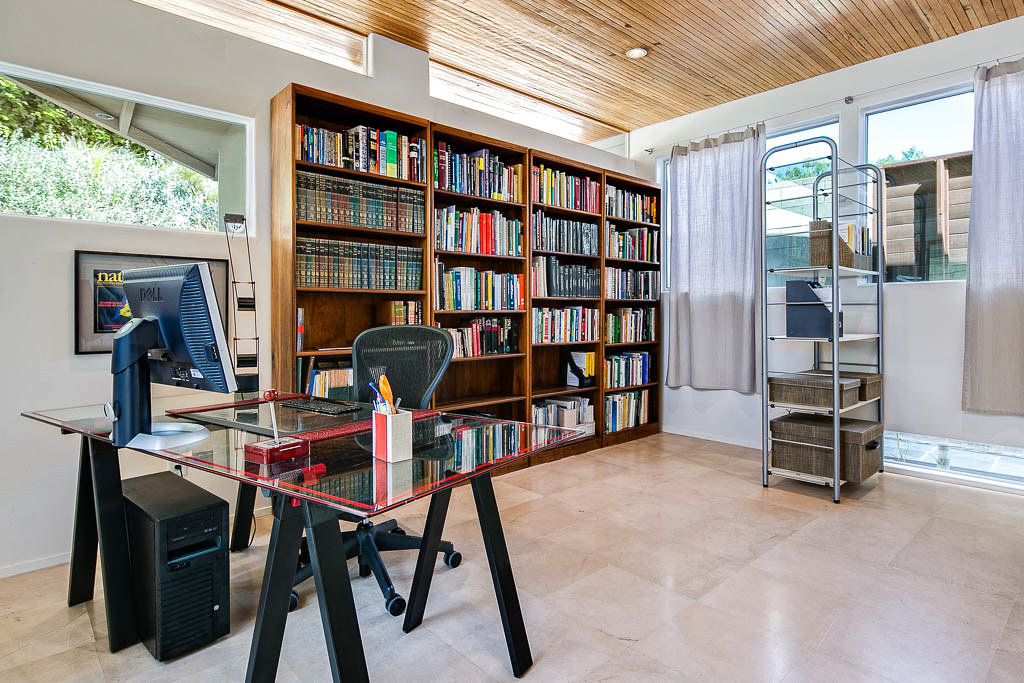
Photo by Sean MacEntee via flickr (BY)
Ergonomic desk setup on a budget isn't about sacrificing comfort or long-term health for cost savings; rather, it’s about smart, intentional choices that optimize your workspace without breaking the bank. For many remote professionals, the initial transition to working from home often means adapting existing furniture or making quick, inexpensive purchases. However, as remote work becomes a more permanent fixture, as noted by resources like the CMI Remote Teams Guide, the importance of a sustainable and healthy workspace grows exponentially [https://www.managers.org.uk/knowledge-and-insights/guide/managing-remote-and-hybrid-teams/]. An ergonomic setup aims to support your body in a neutral posture, reducing strain, preventing repetitive stress injuries, and ultimately boosting productivity. On a budget, this means leveraging what you have, repurposing items, and prioritizing key adjustments that offer the most significant ergonomic benefits for the lowest financial outlay. It’s a practical approach for anyone who spends significant hours at a desk, whether you're a freelancer, a small business owner, or part of a larger distributed team.
Key Takeaways
- Prioritize Adjustments: Focus on critical elements like monitor height, keyboard/mouse positioning, and chair support before investing in costly upgrades.
- Leverage Existing Resources: Many ergonomic improvements can be achieved with items already around your home or through DIY solutions.
- Body Mechanics First: Understand the principles of neutral posture and actively adjust your body and workspace to maintain it.
- Incremental Improvements: You don't need to overhaul everything at once. Small, consistent changes add up to significant ergonomic benefits.
- Regular Movement is Crucial: Even the most perfect ergonomic setup can't replace the need for frequent breaks and movement.
The Imperative of Ergonomics in Remote Work
The shift to remote work has profoundly altered our professional landscapes. What began as a temporary measure for many has solidified into a long-term operational model, as highlighted by discussions on remote work best practices from Atlassian and Slack [https://www.atlassian.com/blog/remote-work, https://slack.com/resources/collections/remote-work]. With this permanence comes the critical need to address the physical demands of prolonged computer use. Historically, office environments often provided ergonomically designed furniture and expert assessments. At home, however, individuals are largely left to their own devices, often relying on kitchen tables, sofas, or makeshift desks that were never intended for 8+ hours of daily use.
Poor ergonomics isn't just about discomfort; it's a significant contributor to musculoskeletal disorders (MSDs) such as carpal tunnel syndrome, chronic back pain, neck strain, and tension headaches. These conditions can lead to decreased productivity, increased healthcare costs, and a diminished quality of life. For remote workers, who might already contend with challenges like digital fatigue or maintaining work-life boundaries, adding physical pain to the mix is counterproductive. An ergonomic setup, even a budget-conscious one, is an investment in your long-term health, productivity, and career sustainability. It’s about creating a workspace that supports, rather than detracts from, your ability to perform at your best, aligning with broader discussions on employee well-being in remote contexts by publications like Harvard Business Review [https://hbr.org/topic/subject/remote-work].
Crafting Your Budget-Friendly Ergonomic Haven
Achieving an ergonomic desk setup doesn't require purchasing every specialized gadget on the market. It's about understanding the core principles and applying creative, cost-effective solutions. Here's a structured approach:
1. The Chair: Your Foundation
This is arguably the most critical component. While an expensive ergonomic chair is ideal, a budget solution focuses on maximizing support from what you have.
- Existing Dining or Office Chair: Can your current chair be improved?
- Lumbar Support: Roll up a small towel or use a throw pillow to support the natural curve of your lower back. Position it just above your hips.
- Seat Depth: If your chair is too deep, preventing your back from touching the backrest while keeping your feet flat, use a firm cushion behind your back in front of your lumbar support to push you forward.
- Armrests: If your armrests are too high or low and non-adjustable, consider removing them if they prevent you from getting close to your desk. If they are too low, you can build them up temporarily with small, firm cushions or folded towels, but ensure they don't elevate your shoulders.
- Height Adjustment (DIY): If your chair is too low and non-adjustable, a firm cushion on the seat can raise you. If it's too high, consider a footrest (see below).
- Second-Hand Market: Check local classifieds, Facebook Marketplace, or office supply liquidators for used ergonomic chairs. Be patient and inspect thoroughly for functionality and wear. A well-maintained used chair can be a fraction of the cost of new.
2. The Desk: Surface and Height
The goal is to position your keyboard and mouse so your forearms are parallel to the floor, and your elbows are at roughly a 90-100 degree angle. Your monitor should be at eye level.
- Current Desk Adjustment:
- Too Low: Use sturdy risers like thick books, concrete pavers, or purpose-built furniture risers (often available cheaply online or at hardware stores) under your desk legs. Ensure stability.
- Too High: If your desk is too high, you have two main options:
- Elevate your chair (as above) and use a footrest.
- Consider a separate, lower surface for your keyboard and mouse, or even a pull-out keyboard tray (DIY versions can be constructed from plywood and drawer slides).
- Standing Desk on a Budget:
- DIY Converter: Utilize sturdy boxes, stacks of books, or even a small, inexpensive shelf placed on your existing desk to elevate your monitor, keyboard, and mouse to standing height. Experiment with heights to find what works for you.
- IKEA Hacks: Many budget-friendly IKEA components (e.g., LACK side tables, KALLAX shelves) can be reconfigured into standing desk solutions.
3. Monitor Placement: Eye-Level Focus
Your monitor should be at arm's length, with the top of the screen roughly at eye level. This prevents neck strain from looking up or down.
- Elevation: Stack sturdy books, reams of paper, or use an inexpensive monitor stand. Even a shoebox can work in a pinch, provided it's stable.
- Multiple Monitors: If using multiple monitors, ensure they are at the same height and distance, and position your primary monitor directly in front of you.
4. Keyboard and Mouse: Neutral Wrists
Maintaining neutral wrist posture is crucial to avoid carpal tunnel syndrome and other wrist issues.
- Keyboard Position: Your keyboard should be close enough that your elbows are at your sides. Avoid resting your wrists on the desk; float your hands above the keyboard.
- DIY Wrist Rest: A rolled towel or a small, firm cushion can serve as a temporary wrist rest if you find yourself needing one, but aim to type with floating wrists.
- Mouse Position: Keep your mouse close to your keyboard to avoid reaching.
- Mouse Alternatives: Consider a trackball mouse or a vertical mouse if you experience discomfort, as these can be found on sale or second-hand. For extreme budget constraints, simply adjusting your grip and frequency of use can help.
- Keyboard Angle: If your keyboard has flip-out feet, try using them down (negative tilt) or flat, rather than flipped up, as the latter can increase wrist extension.
5. Footrest: Grounding Your Posture
If your feet don't rest flat on the floor with your chair at an appropriate height, a footrest is essential.
- DIY Footrest: A stack of old textbooks, a sturdy shoebox, a ream of printer paper, or even a small, firm step stool can serve as an effective footrest. The goal is to support your feet comfortably so your hips are slightly higher than your knees, and your thighs are parallel to the floor.
6. Lighting: Reducing Eye Strain
Good lighting reduces eye fatigue and headaches.
- Natural Light: Position your desk to take advantage of natural light, but avoid glare on your screen. If glare is an issue, consider repositioning or using blinds/curtains.
- Task Lighting: An inexpensive desk lamp can provide focused light without creating glare. Look for LED lamps, which are energy-efficient.
Ergonomic Checklist for Budget Setups
| Component | Budget Solution | Ideal Posture/Goal |
|---|---|---|
| Chair | Rolled towel/pillow for lumbar; firm cushion for height/seat depth. | Back supported, feet flat, hips slightly higher than knees, elbows at 90-100 degrees. |
| Desk Height | Furniture risers (books, pavers) for low desks; keyboard tray/lower surface for high desks. | Forearms parallel to floor, elbows at 90-100 degrees when typing. |
| Monitor Height | Stack of books, reams of paper, sturdy shoebox, inexpensive monitor stand. | Top of screen at eye level, arm's length away. |
| Keyboard/Mouse | Keep close to body, float wrists; rolled towel for temporary wrist rest (if needed). | Elbows close to body, forearms parallel to floor, wrists neutral (straight). |
| Footrest | Stack of books, sturdy box, small step stool. | Feet flat on support, thighs parallel to floor, hips slightly above knees. |
| Lighting | Utilize natural light; inexpensive LED desk lamp. | Sufficient, glare-free illumination; monitor brightness matched to ambient light. |
| Movement | Scheduled breaks, standing intervals, stretching. | Regular movement every 30-60 minutes; dynamic posture changes. |
Common Mistakes and Risks to Avoid
While striving for a budget setup, it's crucial to avoid pitfalls that can negate your efforts or even cause harm.
- Ignoring the Chair: Thinking any chair will do is perhaps the biggest mistake. Even if you can't afford an ergonomic masterpiece, investing time into optimizing your existing chair with cushions and supports is non-negotiable. Your spine will thank you.
- Unstable DIY Solutions: Stacking books precariously for a monitor stand or using wobbly boxes for a standing desk converter poses a risk. Ensure all improvised solutions are stable and can safely bear the weight they are supporting. A falling monitor is a costly accident.
- Static Posture: Even with a perfect ergonomic setup, remaining in one position for hours is detrimental. The human body is designed for movement. Regular breaks, stretching, and changing your posture (e.g., alternating between sitting and standing if you have a standing option) are vital. The "best" posture is the next posture.
- Overlooking Lighting and Glare: Eye strain can lead to headaches, fatigue, and reduced productivity. Don't underestimate the impact of poor lighting or glare from windows or overhead lights. Adjust blinds, reposition your monitor, or add a budget-friendly task lamp.
- Neglecting Peripherals: While a fancy ergonomic keyboard and mouse aren't budget-friendly, ignoring the basics of neutral wrist posture with standard peripherals can lead to issues. Ensure your keyboard and mouse are close, and you're not extending or flexing your wrists excessively.
- Expecting Instant Miracles: Ergonomics is a process. It takes time to adjust to new postures, and you might need to try a few different budget solutions before finding what works best for your body. Be patient and persistent.
Frequently Asked Questions
Q1: Can I really get an ergonomic setup without spending hundreds of dollars?
A1: Absolutely. The core of an ergonomic setup is achieving neutral body postures. This can often be done by adjusting existing furniture, repurposing household items, and making smart, small purchases. For instance, a stack of sturdy books can elevate a monitor as effectively as an expensive stand, and a rolled towel can provide lumbar support similar to a costly chair's integrated feature. The key is understanding the ergonomic principles and applying creative solutions.
Q2: What's the single most important thing to focus on if I have a very limited budget?
A2: Focus on your chair and how you support your lower back. Your chair is the foundation of your posture. Even if it's a basic dining chair, adding proper lumbar support (like a rolled towel or firm pillow) and ensuring your feet are flat on the floor (using a makeshift footrest if needed) will provide the most significant immediate ergonomic benefit for the lowest cost. This helps maintain the natural S-curve of your spine, preventing common back and neck pain.
Q3: How often should I take breaks, even with a good ergonomic setup?
A3: Regardless of how perfectly ergonomic your setup is, sustained static postures are detrimental. Aim for short breaks every 30-60 minutes. This could involve standing up, stretching, walking a short distance, or even just shifting your position. The goal is to introduce movement and change your body's load distribution regularly. Many productivity tools offer reminder apps for this purpose, which are often free or low-cost.
Q4: My desk is too high, and I can't adjust it. What's my best budget option?
A4: If your desk is too high, your primary options are to elevate yourself or lower your input devices. First, try raising your chair as much as possible while still ensuring your feet are firmly supported by a footrest (a stack of books or a sturdy box works well). If this isn't enough, consider creating a lower surface for your keyboard and mouse. This could involve a simple pull-out drawer mechanism you attach yourself, or even just positioning your keyboard and mouse on a slightly lower, stable surface in front of your main desk. The objective is to keep your elbows at a 90-100 degree angle and forearms parallel to the floor.
Q5: Are there any free tools or resources to help me assess my setup?
A5: Yes. Many occupational health and safety organizations, as well as universities, offer free online ergonomic assessment checklists or guides. You can also use your smartphone camera to take pictures of yourself at your desk from different angles (side, front) and compare them against diagrams of ideal ergonomic posture found online. Simple self-assessment is a powerful, free tool for identifying areas for improvement.
References
- CMI Remote Teams Guide: https://www.managers.org.uk/knowledge-and-insights/guide/managing-remote-and-hybrid-teams/
- Slack Remote Work Resources: https://slack.com/resources/collections/remote-work
- Harvard Business Review Remote Work: https://hbr.org/topic/subject/remote-work
- Atlassian Remote Work Blog: https://www.atlassian.com/blog/remote-work
Achieving an ergonomic desk setup on a budget is entirely feasible and highly recommended for anyone working remotely. It requires a thoughtful approach, an understanding of basic ergonomic principles, and a willingness to get creative with everyday items. By prioritizing key adjustments and making incremental changes, you can create a workspace that supports your health, comfort, and productivity without significant financial outlay. This information is provided for general educational purposes.

Photo by cogdogblog via flickr (CC0)
Referenced Sources
- CMI Remote Teams Guide — CMI
- Slack Remote Work Resources — Slack
- Harvard Business Review Remote Work — HBR
- Atlassian Remote Work Blog — Atlassian