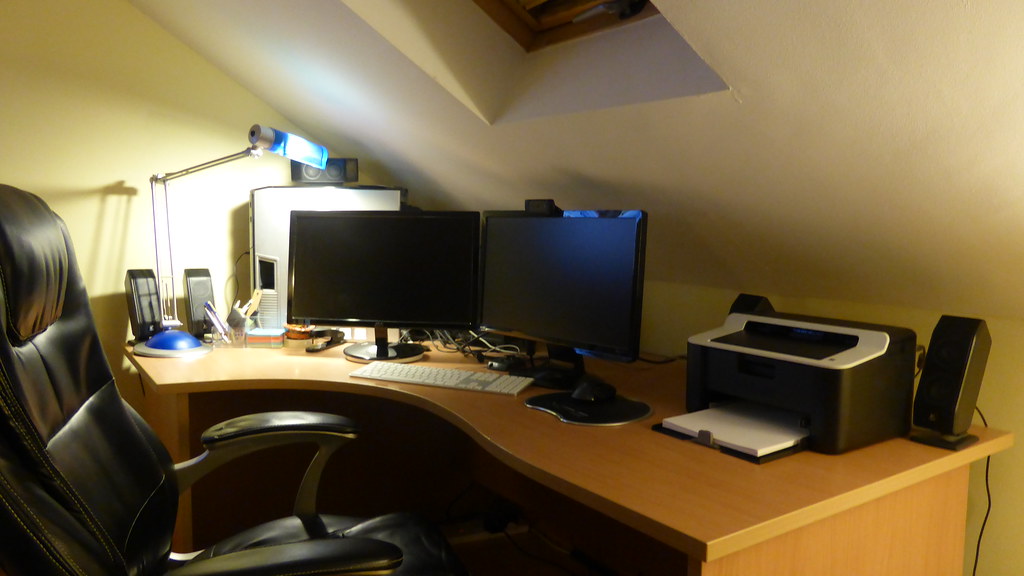
Photo by Robert Stinnett via flickr (BY)
The advent of remote and hybrid work models has dramatically reshaped how teams collaborate, pushing shared digital documents to the forefront of daily operations. From project plans in Google Docs to design mock-ups in Figma, and code reviews in GitHub, synchronous and asynchronous communication increasingly happens directly within the work itself. This ubiquity, however, brings its own set of challenges, particularly around effective and respectful interaction. Commenting etiquette in shared documents isn't just about politeness; it's a critical component of efficient remote collaboration, directly impacting productivity, team morale, and the quality of output.
The Unseen Handshake: Defining Commenting Etiquette
Commenting etiquette in shared documents refers to the unwritten (and sometimes explicitly written) rules and best practices governing how individuals interact with and provide feedback on shared digital content. It encompasses clarity, tone, timeliness, respect, and constructive criticism, all within the context of a digital comment thread. In essence, it's about making sure your contributions enhance, rather than hinder, the collaborative process. This isn't merely about avoiding offense; it's about streamlining workflows, reducing cognitive load, preventing misunderstandings, and ultimately accelerating project completion. For remote teams, where spontaneous desk-side chats are rare, well-articulated comments become the primary mechanism for nuanced feedback and discussion, as highlighted by resources on managing remote and hybrid teams [CMI].
This guidance is particularly vital for anyone working in a remote or hybrid environment: project managers, content creators, developers, designers, marketers, and indeed, any professional whose work involves co-creating or reviewing digital assets. If your daily routine involves Google Workspace, Microsoft 365, Notion, Jira, Figma, GitHub, or similar collaborative platforms, then understanding and applying these principles will directly enhance your productivity and professional relationships. Readers looking to optimize their digital collaboration will find actionable strategies here for fostering clearer communication and more positive team dynamics.
Key Takeaways for Effective Digital Document Collaboration
- Context is King: Always provide sufficient background for your comments.
- Clarity and Conciseness: Be direct and easy to understand, avoiding jargon where possible.
- Constructive Criticism: Focus on solutions and improvements, not just problems.
- Professional Tone: Maintain respect and empathy, especially in asynchronous communication.
- Actionable Feedback: Ensure comments lead to clear next steps.
- Timeliness: Address comments promptly to keep projects moving.
- Strategic Resolution: Know when to reply, resolve, or escalate a discussion.
The Digital Water Cooler: Why Etiquette Matters More Than Ever
In a traditional office setting, a quick glance or a brief hallway conversation could clarify an ambiguous email or a terse note. Remote work, however, removes these informal communication channels. As Harvard Business Review (HBR) emphasizes, remote work necessitates intentional communication strategies. Shared document comments often fill this void, acting as asynchronous "conversations" that build upon the document's content. Without proper etiquette, these digital discussions can quickly devolve into misinterpretations, passive aggression, or endless back-and-forths that stall progress.
Consider the phenomenon of "comment inflation," where a single issue spawns a dozen tangential remarks, burying the original point. Or the "ghost commenter," who leaves vague, unactionable feedback without follow-up. These scenarios are not just annoying; they are tangible roadblocks to productivity. Effective commenting, conversely, becomes a cornerstone of psychological safety within a team, fostering an environment where individuals feel comfortable sharing their work for critique and improvement. It underscores the concept that digital tools, while powerful, are merely extensions of human interaction, requiring the same level of consideration and professionalism as in-person exchanges [Slack].
Mastering the Art of the Digital Critique: Practical Applications
Navigating the comment section effectively involves a blend of technical know-how and interpersonal skills. Here’s a breakdown of practical strategies:
1. Be Specific and Contextual
When adding a comment, assume the reader might not recall the exact context of the section you're referencing.
- Instead of: "This isn't clear."
- Try: "Line 17, under 'Project Deliverables': Could you expand on what 'timely submission' entails? Is there a specific deadline or phase it relates to?"
- Why it works: It pinpoints the issue, explains why it's unclear, and suggests a path for clarification, making it easy for the author to address.
2. Focus on the Work, Not the Person
Comments should always be about the content, not the creator. This fosters a growth mindset and reduces defensiveness.
- Instead of: "You've completely missed the point here."
- Try: "I'm concerned that this section might inadvertently divert from our core objective of [Objective]. Perhaps we could rephrase it to emphasize [Desired Outcome]?"
- Why it works: It frames the feedback as a concern about the document's effectiveness relative to a shared goal, rather than a personal failing.
3. Propose Solutions, Don't Just Point Out Problems
Constructive criticism is inherently forward-looking. Offer suggestions for improvement.
- Instead of: "This paragraph is too long."
- Try: "This paragraph feels dense. Could we break it into two, perhaps moving the details about [Specific Detail] into a bulleted list for readability?"
- Why it works: It provides a tangible way to improve the document, saving the author time and effort in figuring out a fix.
4. Mind Your Tone: The Power of Emoticons and Phrasing
Without visual cues, tone can be easily misinterpreted. Err on the side of warmth and positivity.
- Use: "Great start on this! A quick thought: have we considered X?" or "I really like the direction here. One small suggestion for clarity on Y..."
- Avoid: Abrupt, demanding, or sarcastic language. If a comment might be misconstrued, consider a quick sync call instead, or add a positive opener. Using emojis like 😊 or 👍 can sometimes soften a critical comment, but use them sparingly and professionally.
5. Prioritize and Categorize Comments
Not all feedback is created equal. Some platforms allow for comment categorization (e.g., "suggestion," "question," "critical"). If not, use prefixes.
- Example Prefixes:
[QUESTION],[SUGGESTION],[CRITICAL],[FYI] - Why it works: Helps the author quickly triage feedback, addressing urgent items first and understanding the intent behind each comment.
6. Timely Engagement and Resolution
For authors, acknowledging and addressing comments promptly shows respect for your collaborators' time. For reviewers, closing comments once addressed keeps the document clean.
- Author's best practice: "Thanks for this feedback, [Reviewer Name]. I've updated line 17 as you suggested. Marking as resolved."
- Reviewer's best practice: Once satisfied, explicitly resolve the comment. This reduces clutter and signals completion.
Common Pitfalls and How to Avoid Them
Even with the best intentions, commenting can go awry. Being aware of these common mistakes helps in cultivating better practices.
- Vagueness: Comments like "Fix this" or "I don't like it" are unhelpful and frustrating. They convey dissatisfaction without providing any actionable path forward, leading to guesswork and wasted effort.
- Solution: Always elaborate on what needs fixing and why, ideally with a proposed solution or question for clarification.
- The "Drive-By" Comment: Leaving a comment and disappearing without engaging in subsequent discussion. This is particularly problematic in asynchronous settings where clarification might be needed.
- Solution: Be prepared to follow up. If a comment warrants discussion, indicate your availability for a quick chat.
- Over-Commenting/Micromanaging: Leaving comments on every minor detail or stylistic preference, rather than focusing on substantive issues. This can overwhelm the author and stifle creativity.
- Solution: Prioritize your feedback. Focus on areas that significantly impact the document's goals, clarity, or accuracy. Use batch editing for minor stylistic suggestions.
- Emotional Responses: Reacting defensively or aggressively in comments. Digital text strips away non-verbal cues, making emotional outbursts seem harsher.
- Solution: Take a breath before responding. If a comment elicits a strong emotional reaction, step away, or consider addressing it verbally in a meeting or a quick call. Remember OSHA's guidance on telework emphasizes maintaining healthy communication practices to prevent stress and burnout [OSHA].
- Ignoring Resolved Comments: Leaving old comments open even after they've been addressed. This clutters the document and makes it harder to track active feedback.
- Solution: Actively resolve comments once the feedback has been incorporated or discussed to conclusion.
Checklist for Effective Document Commenting
| Aspect | Best Practice | Avoid |
|---|---|---|
| Clarity | Be specific; highlight the exact text or element. Provide context for your feedback. | Vague statements ("bad," "fix it"). Comments without reference to specific content. |
| Tone | Professional, empathetic, and constructive. Use positive framing. | Sarcasm, aggressive language, accusatory remarks. |
| Content | Focus on the work, not the person. Offer solutions or ask clarifying questions. | Personal attacks, critiques of the author's ability, comments that only state a problem without suggesting a fix. |
| Actionability | Ensure your comment leads to a clear next step (e.g., "Please clarify X," "Consider rephrasing Y," "Add data for Z"). | Open-ended complaints that leave the author guessing what to do next. |
| Timeliness | Provide feedback within agreed-upon deadlines. Respond to questions about your comments promptly. | Delaying feedback, leaving comments unaddressed for extended periods, or ghosting once a comment is left. |
| Volume | Prioritize significant feedback. Group minor suggestions or edits. | Over-commenting on every minor detail, creating an overwhelming volume of feedback. |
| Resolution | Actively resolve comments once addressed or discussed. | Leaving comments open indefinitely, cluttering the document. |
| Tool Usage | Understand and utilize platform-specific features (e.g., assigning comments, suggesting edits, @-mentions). | Misusing tool features, leading to notification spam or missed feedback. |
What Readers Should Do Next
The principles outlined here are not static rules, but rather a flexible framework. The next step is to actively implement these practices in your daily remote collaboration. Start by observing how you and your team currently use comments. Identify areas for improvement based on this guide. Proactively share these best practices with your colleagues, perhaps even suggesting a team-wide agreement on commenting conventions. Leading by example is the most effective way to foster a culture of constructive, respectful, and efficient digital collaboration. By consciously applying these etiquette guidelines, you can transform comment sections from potential minefields into powerful engines for iterative improvement and shared success.
Photo by Sean MacEntee via flickr (BY)
Frequently Asked Questions
Q1: What if I receive a comment that feels overly critical or even offensive?
A1: First, take a moment to cool down and re-read the comment objectively. Assume positive intent. If it still feels inappropriate, avoid responding in the comment thread itself. Instead, reach out to the commenter directly, either via a private message or a quick call, to seek clarification. If the issue persists or is part of a pattern, escalate it to a team lead or HR, providing specific examples, as sustained negative communication can impact team well-being and productivity.
Q2: How do I handle a document with hundreds of comments, making it overwhelming to review?
A2: This often indicates a lack of prior review, or perhaps a document that was shared too early. For an existing document, categorize comments by priority (e.g., critical, important, minor) and type (e.g., questions, suggestions, errors). Use filtering features if available in your platform. Consider scheduling a dedicated "comment review session" with key stakeholders to address the most pressing feedback verbally and resolve comments in real-time. Moving forward, establish clear review stages and guidelines for when and how feedback should be provided to prevent comment overload.
Q3: Should I use "Suggesting Mode" or direct edits in tools like Google Docs?
A3: Generally, "Suggesting Mode" (or "Track Changes" in Word) is preferable when you are not the primary author and are proposing changes that need the author's explicit approval. This maintains a clear audit trail and empowers the author to accept or reject edits. Direct edits should only be used if you have explicit permission from the author, or if the changes are extremely minor (e.g., fixing a clear typo that doesn't alter meaning) and you are confident they will be welcomed. When in doubt, suggest.
Q4: Is it okay to use humor or emojis in comments?
A4: This largely depends on your team's culture and the formality of the document. In many remote teams, a well-placed emoji (e.g., 👍, 😊) can soften tone and convey warmth, especially when delivering constructive criticism. However, avoid excessive use or humor that could be misinterpreted or distract from the professional purpose. If you're unsure, err on the side of professionalism and straightforwardness. A quick, lighthearted remark might be fine, but complex jokes or sarcasm rarely translate well in asynchronous text.
Q5: When should a comment thread move to a live discussion (e.g., video call)?
A5: A comment thread should move to a live discussion when:
- Complexity: The issue is too nuanced or complex to resolve efficiently through text.
- Disagreement: There's a persistent back-and-forth without resolution after a few exchanges.
- Tone: The discussion is becoming emotionally charged or there's a risk of misinterpretation.
- Urgency: A quick decision is needed, and asynchronous communication is too slow.
Always summarize the outcome of the live discussion back into the document's comments (or the document itself) for future reference.
References
- [CMI] CMI Remote Teams Guide: https://www.managers.org.uk/knowledge-and-insights/guide/managing-remote-and-hybrid-teams/
- [HBR] Harvard Business Review Remote Work: https://hbr.org/topic/subject/remote-work
- [OSHA] OSHA Telework Guidance: https://www.osha.gov/telework
- [Slack] Slack Remote Work Resources: https://slack.com/resources/collections/remote-work
Referenced Sources
- Harvard Business Review Remote Work — HBR
- CMI Remote Teams Guide — CMI
- Slack Remote Work Resources — Slack
- OSHA Telework Guidance — OSHA